|
|
program manager |
|
|
||
|
|
PS1 games on the PSP, part 1: Ghost in the Shell |
|
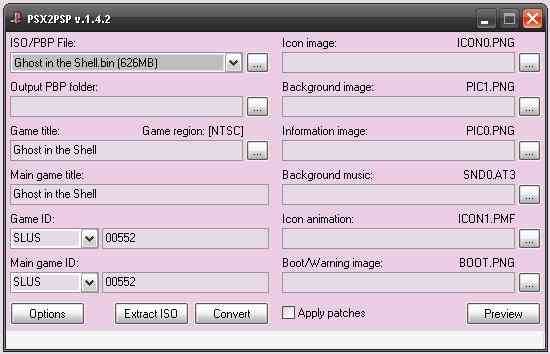
In this article series I'm going to show you how to install PS1 games on a softmodded PSP and review two of them, Ghost in the Shell and Doom! Part 1 will focus on single track games like Ghost in the Shell, since those are the easiest ones to install. Part 2 will cover multi-track games like Doom. In both parts, I'll quickly showcase the games too! I'm going to be doing this on a PSP already modded with custom firmware. I would make an article about modding my PSP, but it was already modded when I bought it -_- BIN/CUE?!PS1 games were distributed on CDs. The most common CD image format, ISO, works great for computer data discs, but it's not enough for many PS1 games which store music on tracks after the first track. Ripping a game like that into an ISO would end up with it being stripped of its soundtrack. For that reason, PS1 games are usually ripped into the BIN/CUE format, which consists of a BIN file for every track and a single CUE file, which is a text file with information about the tracks. This way, both the code track and the music tracks are preserved. PSX2PSPThe PSP's firmware has a builtin PS1 emulator, which stores PS1 games as PBP files. To convert a game from BIN/CUE to PBP, we'll be using the tool PSX2PSP. PSX2PSP was made for Windows and should run on Windows XP and newer. If you're using Linux, you can launch it with Wine. PSX2PSP asks on opening if we want a themed or non-themed UI. I like the non-themed UI, as I find it more straightforward. It looks like this:
That's a lot of buttons and selections! What are we meant to do with this? Single BIN file gamesThe first game I'm going to install on my PSP is Ghost in the Shell, which only has a single BIN file. PSX2PSP is easier to use in this case than with games that have multiple BIN files. First, we press the three dots next to the "ISO/PBP File" dropdown, go to the directory of our BIN/CUE files and select our only BIN file:
After pressing "Open", the game title and ID will most likely be automatically filled in by PSX2PSP. This is the case for me too:
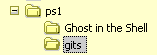
Now we click on the three dots next to "Output PBP folder", create an empty folder and select it:
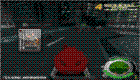
I named my empty folder "gits" (short for Ghost in the Shell). In this folder, PSX2PSP will output the files we'll copy to the PSP later. The "Icon image" dropdown lets us set the image the PSP will show on the game icon. The obvious choice is the game's cover. Covers can be downloaded from the the PlayStation Data Center. The icon image should be 80x80. The "Background image" dropdown allows selecting an image which will display on the full screen when we select the game. The background image should be 480x272. I'm going to use this gameplay screenshot:
That's right, you get to operate a Fuchikoma in this game!! I'll talk more about the game itself later, as for now I'm showing how to use PSX2PSP. If you want, you can use the "Information image" dropdown to show an image to the right of the game icon. I won't be adding one this time. Then we can click "Preview" to see how the game will look in the PSP menu (it won't be dithered like on my site):
Now we're ready to generate files for the PSP by clicking "Convert". PSX2PSP will take a while to convert the game and show the progress percentage on the bottom of the window. PSX2PSP says it's done! Let's take a look at the output folder:
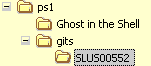
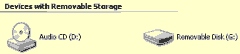
It created a folder named with the game's ID as its name. The folder contains EBOOT.PSP, which is the PSP executable file containing game data. Copying the converted game to the PSPTo put the converted game on the PSP, we need to turn it on, move to "Settings" on the XMB menu and select "USB Connection" from there. Press X and the console should say "Connect this system to a PC or a PS3 system using a USB cable." After connecting the PSP to my PC with a miniUSB cable, the PSP is detected by the computer as a removable disk:
If you're using a system like some Linux distros, which requires manually mounting USB devices, you can mount the PSP like any other USB disk. It should be detected as a SCSI/SATA/USB device (/dev/sdx1, with x being a drive letter). Mount the first partition of the "disk" and use dmesg to find out the device name if not sure. Now all that's left to do is copy the folder created by PSX2PSP, called "SLUS00552" in my case, to the "PSP\GAME" directory on the PSP. This took a while for me, as PS1 games are a few hundred megabytes. After copying and waiting for the PSP memory card activity light to stop flashing, we can safely remove (on Windows) or unmount (on Linux) the PSP, press O to exit USB mode and then unplug it. Do not unplug the PSP while the light is flashing, or the game will likely get corrupted. After going to Game -> Memory Stick in the PSP menu, we can see the PS1 game we only now installed (sorry for the low quality of my 2001 camera):
Testing the game and talking about itLet's see if it works! The console shows and plays the PS1 logo:
And soon, we see the opening cutscene!
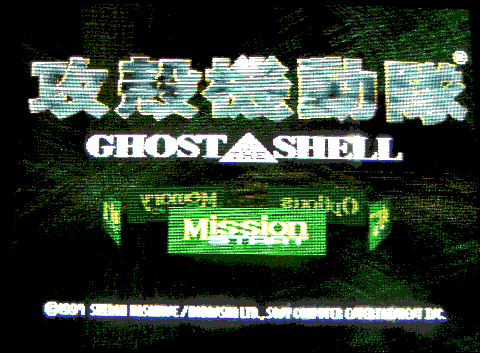
This game is closer to the manga than the 1995 film, and it's noticeable right off the bat with the game's techno soundtrack, which has no right to be this good. The opening cutscene has a VERY different tone from the film too. The cutscenes in this game are animated by Production I.G., the same studio which produced most Ghost in the Shell anime adaptations. After the opening cutscene, the game shows us a very retrofuturistic main menu:
I have a feeling this menu's green 3D interface could have inspired the original Xbox dashboard. Submenus like "Options" have a very cool 3D transition effect.
The "Options" menu allows choosing one of 4 control schemes. This game doesn't use analog sticks, and bumpers and triggers do the same thing, so it's easy to control on the PSP. The PSP has no triggers and only one analog stick, which can be an issue in some PS1 games. This is compensated by the ability to rebind those controls in a menu available on pressing the HOME/PlayStation button.
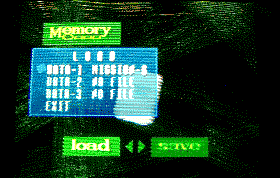
The "Memory" menu loads and saves from memory cards. The PSP obviously doesn't take PS1 memory cards, instead it simulates them automatically on the Memory Stick. Ghost in the Shell doesn't load saves automatically, you have to load them manually in this menu. Let's start mission 1! Here's a shot from the mission's intro cutscene:
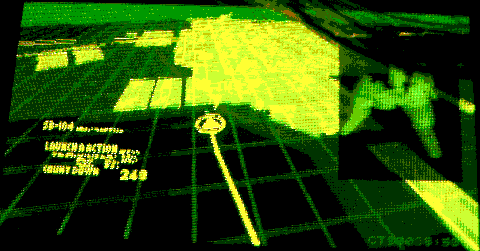
Look at those user interfaces, just like the 1995 film! Why can't modern tech look like this? We're in the mission:
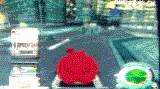
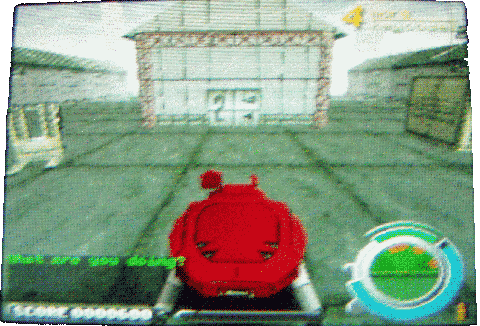
What am I doing? Photographing the mission area! As you can see, the game will react to you being idle, which is a nice detail for a game this old. The gameplay of this game involves operating a Fuchikoma (フチコマ), a robot tank used by Section 9 which can walk on walls and ceilings. Fuchikomas were a big part of the manga, but they were absent in the 1995 film and replaced by the blue Tachikomas (タチコマ) in Stand Alone Complex. If you don't know what Section 9 is and haven't watched any GitS anime or read the manga, what are you waiting for? I suggest starting with season 1 of SAC, I heard the 2nd season is good too but haven't watched it yet. In the default control scheme, which is the scheme I like the most, the D-pad is used to move forward/backward and turn left/right, the bumpers slide left/right and circle jumps. Quickly pressing the square button shoots your gun, holding the square button charges homing missiles. Triangle shoots a "grenade", which is more like a short-ranged energy bomb that deals a lot of damage to everyone near you. All ammo except grenades is unlimited! No rope-throwing unfortunately, but the movement part of gameplay still feels very original. The game allows pressing SELECT to switch between third person and first person views. The camera automically adjusts to walking on walls/ceilings, which can be disorienting at first but I quickly got used to it. Considering how old the game and its console is, the graphics still look excellent in my opinion and give a very immersive cyberpunk action experience, this is likely also related to the game being based on a manga and not attempting to look realistic. The game runs very smoothly, never stuttering or dropping frames. The gameplay is based on fast-paced movement, this is no Call of Duty. I have only played this game up to mission 6, but I can already tell you the missions have some varied fast-paced gameplay, from open level exploration missions to chases and timed missions. You can't save during a mission, only between missions. Every mission ends with a bossfight, so don't get caught with not enough health! If you get battered, you can pick up energy packs to regain some of it. The game's plot is told mostly by the cutscenes and tells some stuff about the GitS universe that's not mentioned in the anime and manga. It involves Section 9 fighting a "human liberation" front that wants to liberate humanity from cyborgs, and guess who Motoko Kusanagi, one of the main members of Section 9, is? In most GitS media, Motoko is the main character, but in this game you sadly don't play as Motoko, but as an unnamed new member ("rookie") of Section 9. Don't worry, Motoko and other Section 9 members get a lot of screentime in the cutscenes! All cutscenes can be skipped by pressing START (Game Freak, take notes), but they fit the flow of the game perfectly, don't interrupt the action and this is one of the games where I don't skip cutscenes, not to mention they're the closest GitS animation to the manga until now. A new GitS anime is coming out in July and it's going to be the closest one to the manga yet, I don't think it'll top SAC as I liked SAC's plot more than the manga's plot but it looks like it will still be a great anime and I'm excited for it! If you're a Ghost in the Shell fan, you'll definitely enjoy this game! If you're not that into GitS, but you like fast-paced third-person or even first-person shooters like Doom or Half-Life, you'll probably like this game too, although I won't be surprised if its Y2K cyberpunk atmosphere eventually gets you into GitS :-) For a licensed game, its gameplay feels very innovative and even today I think there aren't many games with similar gameplay. The game's difficulty is at the perfect level in my opinion, not too easy but definitely not Nintendo hard. I hope I helped with installing PS1 games on the PSP! In part 2, I'm going to cover installing multiple-track games like Doom. |
||
|
|
blog navigator |

|
||